
Introduction
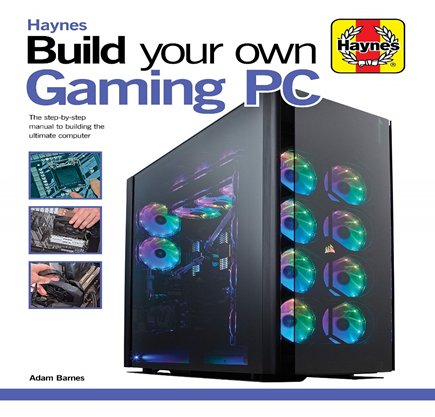
In 2025, building your own PC isn’t just a fun DIY project — it’s the smartest way to get the best performance for your budget. With more accessible parts, beginner-friendly tools, and countless online resources, anyone can build a computer — even if you’ve never done it before.
This ultimate guide walks you through:
- Choosing the right parts for gaming, editing, or work
- Building the PC step by step
- Setting up BIOS and installing your operating system
- Avoiding common mistakes
Why Build a PC in 2025? (Detailed Explanation)
1. Save Money
One of the biggest reasons people choose to build their own PCs is cost savings. When you buy a prebuilt computer from a store or brand like Dell, HP, or Alienware, the company adds a markup — sometimes 20-40% or more — to cover their assembly, support, and profit.
By building your own PC:
- You buy parts directly from manufacturers or trusted retailers.
- You can compare prices and pick parts on sale or budget options.
- You avoid paying for unnecessary pre-installed software (bloatware).
- You can reuse existing parts you already own (like an old SSD or case).
Result: You often get much better performance for the same amount of money. For example, a custom build for $1000 can outperform a $1300 prebuilt PC with better CPU and GPU choices.
1. Gaming
- Graphics Card (GPU): This is the heart of any gaming PC. The better the GPU, the better your performance in demanding games. In 2025, look for NVIDIA RTX 4060–4090 or AMD RX 7600–7900 XTX depending on your budget and desired resolution.
- Processor (CPU): Modern games are starting to use more cores, but most still benefit from strong single-core performance. A mid- to high-end CPU like Ryzen 5 7600X or Intel i5-14600K is ideal.
- RAM: 16GB DDR5 is the new standard. Games are becoming more memory-hungry, and having dual-channel RAM improves performance.
- Storage: Fast NVMe SSD (at least 1TB) reduces loading times and makes your system feel snappy.
- Monitor & GPU Match: If you game at 1080p, you don’t need a super high-end GPU. But for 1440p or 4K gaming, invest in a stronger GPU.
. Streaming (Twitch/YouTube)
- CPU: A strong CPU with multiple cores is essential. Streaming uses additional resources while gaming, so something like an Intel i7-14700K or Ryzen 7 7800X3D is ideal.
- GPU: Still important for high-quality visuals and gameplay. Look for RTX 4070 or above.
- RAM: 32GB recommended for smoother multitasking between the game, OBS (streaming software), and Chrome tabs.
- Cooling: Streaming runs the CPU hotter, so invest in a good air or AIO liquid cooler to keep temps low and noise minimal.
- Capture Card: Optional, but useful if you want to stream from a console or dual-PC setup.
Video Editing / Content Creation
- CPU: Focus on multi-core performance. CPUs like Ryzen 9 7900X or Intel i9-14900K excel in editing tasks.
- RAM: 32GB minimum — 64GB if working with 4K/8K footage or large files.
- Storage: NVMe SSD for OS and apps + large secondary SSD or HDD for storing video footage.
- GPU: A powerful GPU (RTX 4080 or RX 7900 XT) accelerates timeline playback and export times, especially in software like Adobe Premiere Pro or DaVinci Resolve.
- Monitor: Color-accurate monitors (IPS panels, 1440p/4K) are a must for professional editing.
Essential PC Components Explained (2025 Edition
When building a custom computer, each component plays a unique and vital role. Choosing ation ensures that your PC is balanced, performs well, and lasts longer. Let’s go over each component in full detail:
CPU (Processor) – The Brain of Your PC
- Clock speed (GHz): Higher is better for gaming and single-threaded tasks.
- Cores & threads: More cores = better for multitasking, streaming, rendering.
- Socket compatibility: Make sure it matches your motherboard (Intel LGA1700, AMD AM5).
Best Options in 2025:
- i3-14100: Budget/basic use
- i5-14600K: Mid-range, great for gaming
- i7-14700K / i9-14900K: High-end for streaming, editing, productivity
- AMD Ryzen 7000/8000 Series:
- Ryzen 5 7600X: Excellent value for gaming
- Ryzen 7 7800X3D: Top-tier gaming CPU (with 3D V-Cache)
- Ryzen 9 7900X / 7950X: Ideal for video editing and heavy multitasking
. Motherboard – The Backbone of Your PC
The motherboard connects all the components together and allows communication between them. It determines your build’s expandability and feature set.
What to Consider
- What to Consider Chipset: Dictates CPU support and features.
- Intel: B760 (budget), Z790 (full features, overclocking)
- AMD: B650 (mid-range), X670E (high-end)
- Form factor: ATX (standard), Micro-ATX (smaller), Mini-ITX (compact builds)
- RAM support: DDR5 is standard in 2025 — faster and more efficient than DDR4.
- Extra features:
- Built-in Wi-Fi 6E or 7
- Multiple M.2 slots for fast SSDs
- USB-C, Thunderbolt 4 ports
- RGB headers, fan headers for customization
RAM (Memory) – Short-Term Memory of the System
RAM (Random Access Memory) temporarily holds data for active programs and processes. More RAM improves multitasking and speed.
Key Details:
- Type: DDR5 (faster and more efficient; now standard in 2025)
- Capacity:
- 16GB DDR5: Minimum for gaming and most tasks
- 32GB: Ideal for content creators, streamers, heavy multitaskers
- 64GB+: For high-end editing, 3D rendering, or virtual machines
- Speed: Look for 5600MHz+ (faster = better performance)
GPU (Graphics Card) Visual Performance Powerhouse
The GPU (Graphics Processing Unit) is essential for rendering graphics — especially in gaming, video editing, 3D design, and AI work.
What to Consider
t to VRAM: 8GB is minimum for modern games; 12–16GB is ideal for 1440p or 4K.
Ray tracing support: Enhances realism in games.
DLSS (NVIDIA) / FSR (AMD): Improves performance with AI upscaling.
Best GPUs in 2025
- NVIDIA: RTX 4060 (budget), RTX 4070/4080 (mid to high-end), RTX 4090 (flagship)
- AMD: RX 7600, RX 7700 XT (mid-range), RX 7900 XTX (high-end)
Storage – Where Your Data Lives
Modern systems rely on solid-state drives (SSD) for fast load times and responsiveness. In 2025, NVMe M.2 SSDs are the gold standard.
Storage Types
- NVMe SSD (PCIe Gen 4 or 5): Very fast, tiny stick-like drive.
- SATA SSD: Slower than NVMe but still faster than HDD.
- HDD: Large-capacity storage for media files or backups.
Recommendations
- Boot Drive: 1TB NVMe SSD (for OS and apps)
- Additional Storage:
- 2TB+ HDD for media or backups
- Optional: Secondary NVMe SSD for games, scratch files
Power Supply Unit (PSU) – Power Provider
The PSU converts electricity from the wall into usable power for your system. A high-quality PSU ensures safety and stability.
What to Look For
- Wattage:
- 600–650W: For budget and mid-range systems
- 750–850W+: For high-end builds with GPUs like RTX 4080 or 4090
- Certification: Look for 80+ Bronze, Gold, or Platinum for efficiency.
- Modular cables:
- Modular: Detachable cables (best for clean builds)
- Semi-modular: Some fixed, some detachable
CPU Cooler – Keeps Your Processor Cool and Efficient
- Stock Coolers: Included with some CPUs (AMD Ryzen non-X CPUs) — fine for basic use.
- Air Coolers: Tower-style heatsinks like Cooler Master Hyper 212 — reliable and cost-effective.
- AIO Liquid Coolers:
- 240mm or 360mm radiators for high-end CPUs
Quieter and often more visually appealing (great with RGB
Summary Table
| Component | What It Does | 2025 Recommendation |
| CPU | Executes tasks & processes | Ryzen 5/7, Intel i5/i7 or higher |
| Motherboard | Connects all components | B650, Z790, supports DDR5, M.2, Wi-Fi |
| RAM | Runs active programs | 16–32GB DDR5, 5600MHz+ |
| GPU | Renders graphics | RTX 4060–4090 / RX 7600–7900 XTX |
| Storage | Saves OS, files, apps | 1TB NVMe SSD + 2TB HDD |
| PSU | Supplies power | 600–850W, 80+ Gold, Modular |
| Case | Holds everything | ATX Mid/Full Tower with airflow & cable space |
| Cooler | Controls CPU temperature | Air (Hyper 212) or AIO Liquid (240mm/360mm) |
Final Thoughts
Building your own PC in 2025 is more rewarding than ever.
You’ll get:
- Better performance per dollar
- Full control over quality and parts
- Easier future upgrades
- The joy of learning and building something yoursel
Whether you’re gaming, editing, streaming, or just browsing — building a PC makes sure your machine fits your needs, not someone else’s idea of “good enough.”
Frequently Asked Questions (FAQs)
| Question | Answer |
| Q: How long does it take to build a PC? | A first-timer usually takes 2–4 hours. |
| Q: Do I need to buy Windows? | No, you can install it for free and activate it later. Linux is also free. |
| Q: Is it safe to build a PC myself? | Yes! As long as you’re careful, it’s perfectly safe — no electrical danger. |
| **Q: |
Can I build a gaming PC under $1000?** | Absolutely. Many builds with RTX 4060 and Ryzen 5 perform great under that budget.
computer
- Hardware
- Internal Hardware